Constraints can make products better.
Designing for one specific routine made it possible to focus on the actual moment of use.
I built a small, installable workout app around one simple idea: I shouldn't have to think about my workout while I'm doing it.
01 — THE PROBLEM
I had a workout routine designed specifically around my goals. But actually following it meant repeatedly checking it before and during every session.
Which exercise comes next? How many reps? How much weight? How long should I rest?
I didn't want another fitness app packed with features. I just wanted to open something and know what to do.
“Show me only what I need, when I need it.”
02 — THE IDEA
Instead of designing a general-purpose fitness platform, the experience is designed around one day's workout. Everything needed for that session lives in one place.
Warm-up / Workout / Rest / Stretch
No searching. No giant exercise library. No notes. No remembering what comes next.
03 — THE WORKOUT MOMENT
A workout is different from a normal app session. You're moving, counting, resting, and switching between exercises. Each screen answers one question, then gets out of the way.
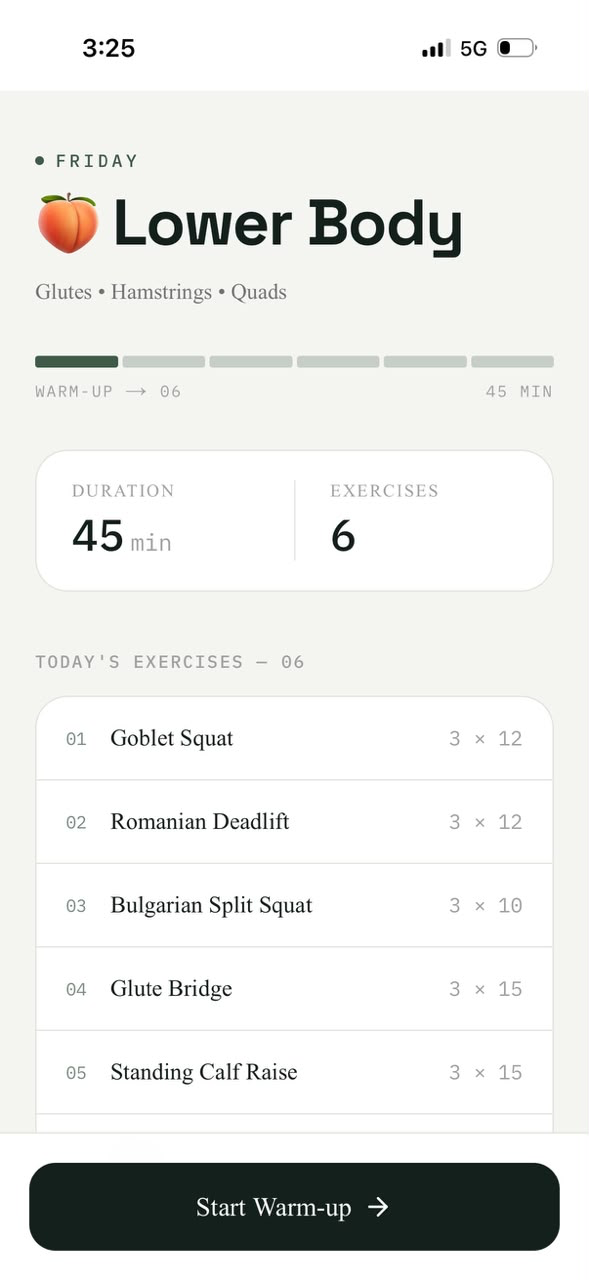
TODAY'S WORKOUT
The workout screen gives the whole session a clear shape — duration, exercise count, progression, and the exact routine — before the first action.
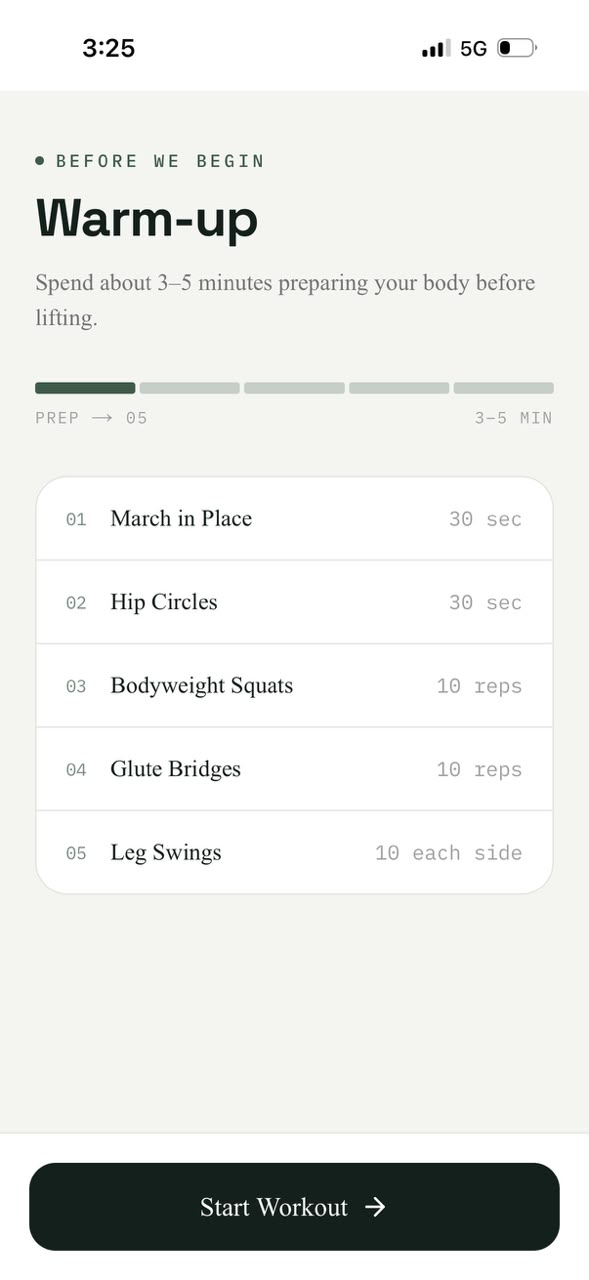
WARM-UP
The warm-up is already part of the session. A short sequence and one clear action remove the need to decide what comes first.
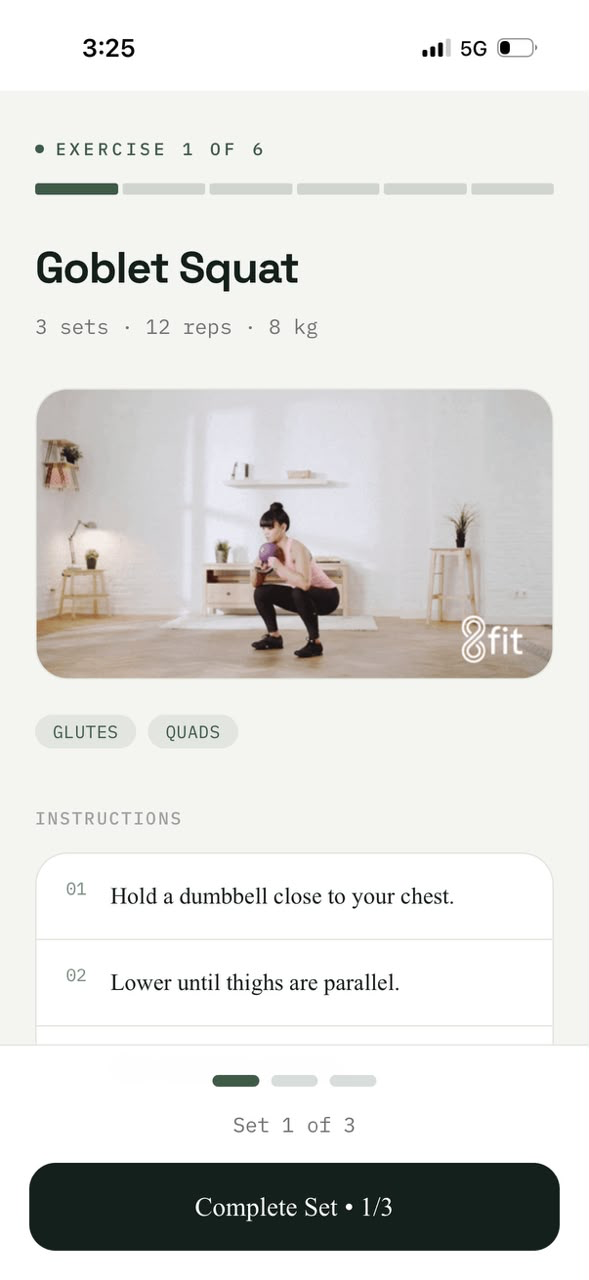
EXERCISE
The exercise name, prescription, movement reference, instructions, and set progress live together so the user doesn't have to bounce between screens.
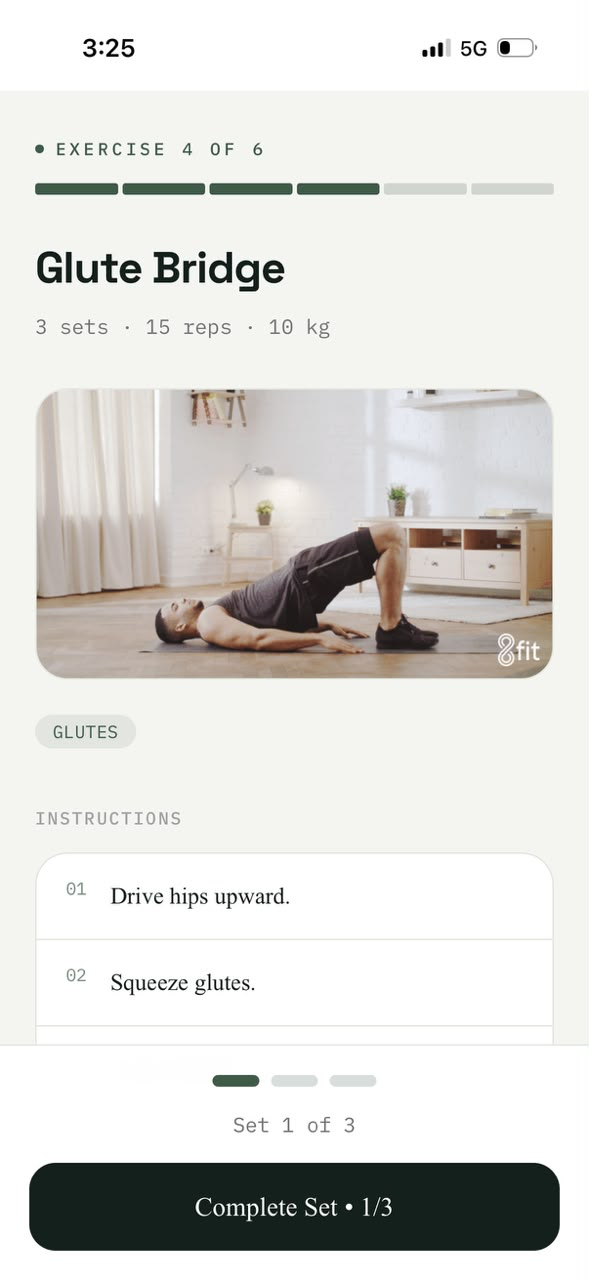
EXERCISE GUIDANCE
GIF + short instructions remove the need to search elsewhere for unfamiliar movements. The guidance stays inside the workout moment.
04 — RECOVERY + COMPLETION
Stretching and completion are treated as part of the same session rather than separate features. The interface changes with the state, while the visual language stays familiar.
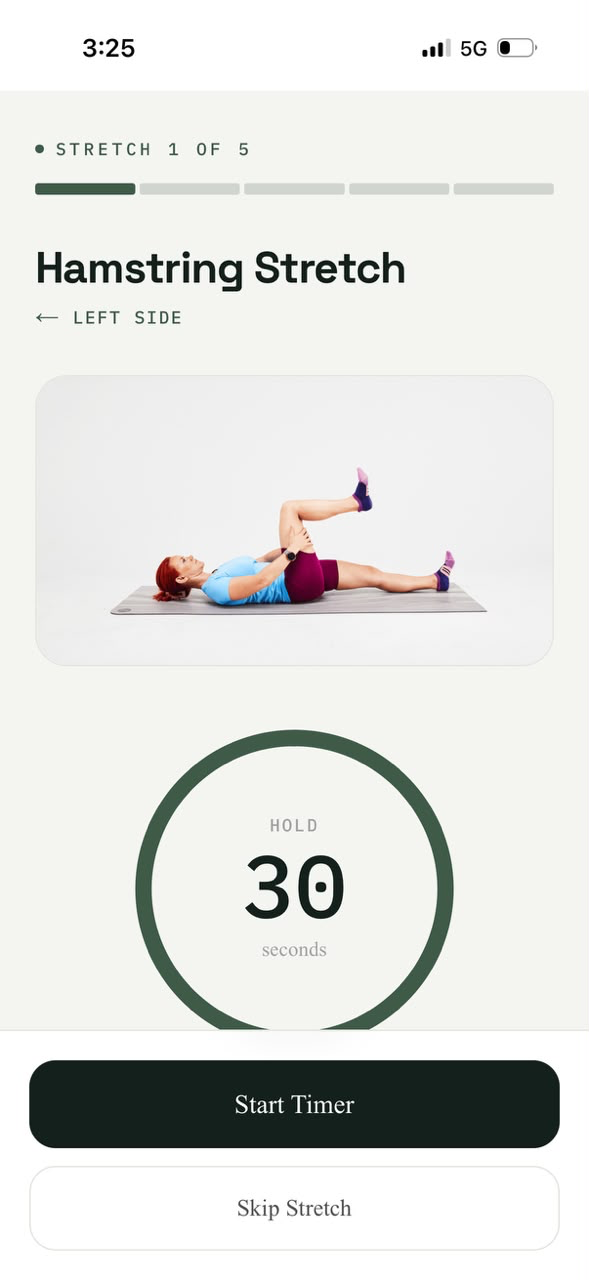
RECOVERY · 01
A focused timer turns recovery into a clear action. The user knows which stretch they're on, which side to work, and how long to hold.
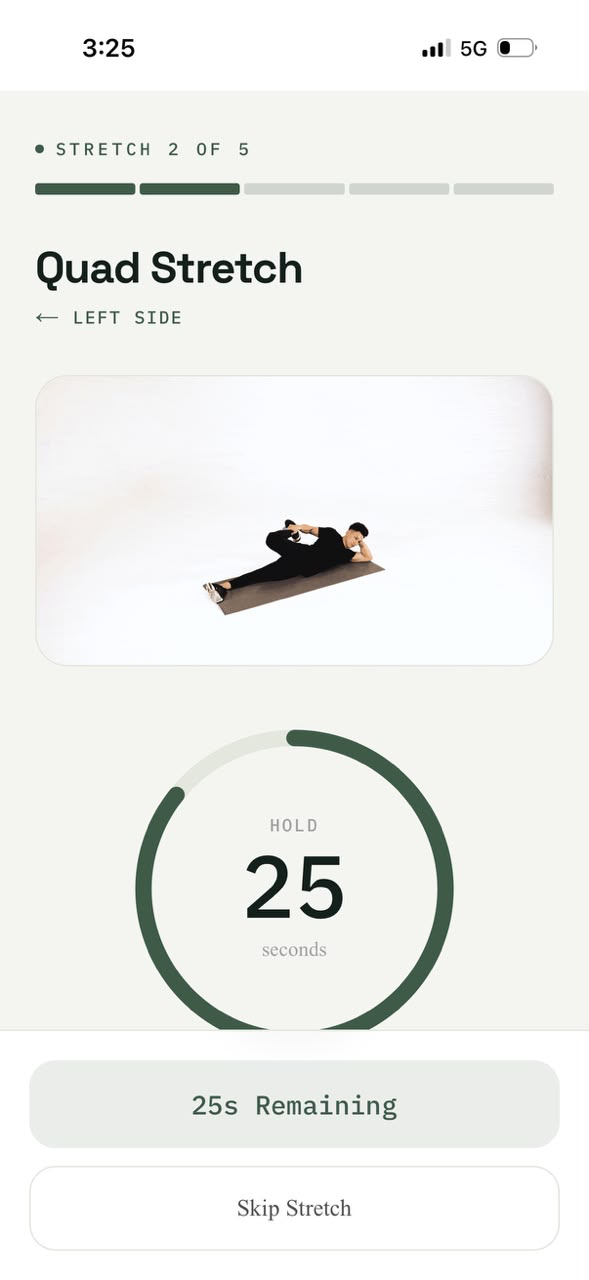
RECOVERY · 02
The second stretch keeps the same structure while showing remaining time and the next action. Familiarity makes the recovery sequence feel effortless.
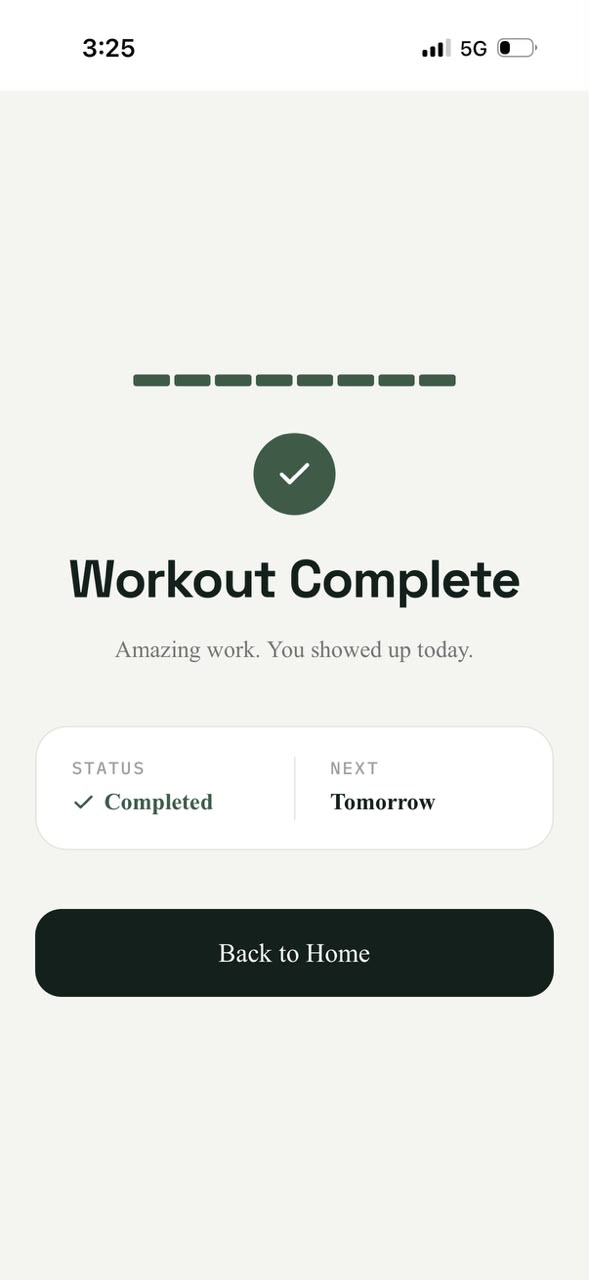
COMPLETION
Completion is a distinct state rather than another exercise screen. A clear endpoint tells the user they're done, so they can close the app and move on.
06 — DESIGN + BUILD
This project didn't start in Figma. It was designed and iterated directly in implementation. The process was:
Idea / Build / Use / Change
This allowed the interface to be tested on the actual device it was designed for.
FROM INTERFACE TO WORKING PRODUCT
The goal wasn't to build a technically complex fitness platform. It was to make a small system that worked reliably for its intended use.
07 — THE SYSTEM
A workout isn't just a collection of screens. The interface needs to know where the person is in the session and respond to that state instead of requiring manual navigation.
08 — REAL USE
I built the app for myself. I still use it for my own workouts. Some friends started using it for their routines too.
That was the most unexpected part of the project — what started as a very specific personal tool turned out to be useful beyond its original user.
09 — LIMITATION / V2
The app works because it is extremely specific: my routine, my exercises, my weights, my goals. But that also means the current version isn't designed for someone with a completely different routine.
How do you let someone bring their own routine into the app without turning the simple workout experience into a complicated fitness platform?
V2 DIRECTION
Potential future features: custom routines, personal exercises, different workout schedules, saved weights, progression — while keeping the core experience:
Open / Follow / Workout
10 — WHAT I LEARNED
Designing for one specific routine made it possible to focus on the actual moment of use.
Making the app installable reduced friction between wanting to work out and actually starting.
Implementation allowed interaction decisions to be tested immediately.
The app started as a personal tool. Friends using it changed the product question.
Tell me what to do,
and leave me alone.